
Understanding the OSI Model
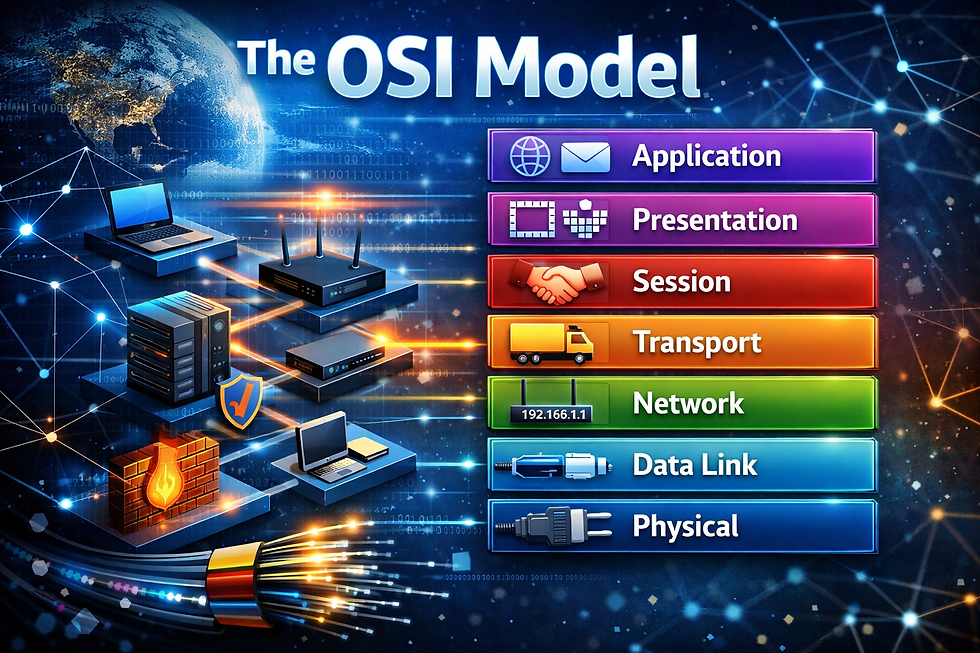
When troubleshooting networks, designing infrastructure, or even explaining how data moves from one device to another, IT professionals often refer to something called the OSI Model. At first, it may be hard to follow or conceptualize, but the OSI model is one of the most important foundational concepts in networking—and understanding it can dramatically improve how you diagnose and design networks.
In this guide, we’ll break down the OSI Model in simple terms, explain what each layer does, and show why it matters.
What Is the OSI Model?
The OSI (Open Systems Interconnection) Model is a framework that describes how data moves through a network. It divides communication into seven different layers, each with a specific role.
Think of it as a roadmap for how information travels from one device to another—whether it’s an email, a web request, or a video stream.
The OSI model was created to:
Standardize networking communication
Help engineers design interoperable systems
Make troubleshooting easier by isolating wh
ere problems occur
The Seven Layers of the OSI Model
Let’s walk through the model from Layer 1 (bottom) to Layer 7 (top).
Layer 1 – Physical
What it does: Handles the physical transmission of data—cables, connectors, electrical signals, and wireless frequencies. This is the base layer for the entire network. Without a physical medium of some sort, devices cannot talk to each other.
Examples:
Ethernet cables
Fiber optics
Wi-Fi radio signals
Network interface cards (NICs)
Common issues: Bad cables, unplugged or failed ports, damaged fiber, or incorrect cabling types.
Layer 2 – Data Link
What it does: Manages how data moves between devices on the same network segment.
Examples:
Ethernet frames
MAC addresses
Switches
VLANs
Common issues: MAC address conflicts (rare), VLAN misconfigurations, switch port errors.
Layer 3 – Network
What it does: Handles routing and logical addressing so data can move between different networks. This is the layer people typically think of when they think of networking. The most used troubleshooting tool (ping) tests this layer.
Examples:
IP addresses
Routers
Routing protocols (OSPF, BGP, static routes)
Common issues: Incorrect IP addressing or default gateways, routing loops, missing routes.
Layer 4 – Transport
What it does: Manages end-to-end communication, reliability, and flow control.
Examples:
TCP (reliable, connection-oriented)
UDP (fast, connectionless)
Common issues: Packet loss, retransmissions, port blocking, firewall rules.
Layer 5 – Session
What it does: Manages sessions between applications, including setup, maintenance, and teardown.
Examples:
Session authentication
Session persistence
Login sessions
Common issues: Session timeouts, dropped connections, authentication failures.
Layer 6 – Presentation
What it does: Translates, encrypts, and compresses data so applications can understand it.
Examples:
SSL/TLS encryption
Data encoding (ASCII, UTF-8)
Compression formats
Common issues: Certificate errors, encryption mismatches, data formatting issues.
Layer 7 – Application
What it does: Provides the interface users and applications interact with directly.
Examples:
Web browsers
Email clients
DNS, HTTP, HTTPS, FTP
Common issues: Application crashes, service misconfigurations, incorrect URLs.
Why the OSI Model Still Matters
Even in modern cloud and SaaS environments, the OSI model remains incredibly useful because it:
Provides a common troubleshooting language.
Helps isolate problems quickly
Improves communication between teams and vendors
Supports better network and security design
A Simple Way to Remember the Layers
A popular mnemonic for remembering the OSI layers from bottom to top:
“Please Do Not Throw Sausage Pizza Away”
Physical
Data Link
Network
Transport
Session
Presentation
Application
Final Thoughts
Understanding the OSI model isn’t just for network engineers—it’s a foundational skill for anyone working in IT no matter if it’s cybersecurity, cloud, or infrastructure. Whether you’re troubleshooting a slow application, designing a new network, or explaining an issue to a client, the OSI model gives you a shared language and a structured way to think through problems.


Comments